

An AI client can talk about social data without knowing which endpoint to call. That is a routing problem, not a second catalog. SocQ MCP exposes the same public-data APIs used by REST: one hosted address, three tool scopes, and the same asynchronous task model.
This guide shows how to connect Codex, Claude, Cursor, and VS Code, choose a scope, submit a collection, and keep polling the same task. Setup details live on the MCP page. Copy the generated config from there instead of inventing fields.
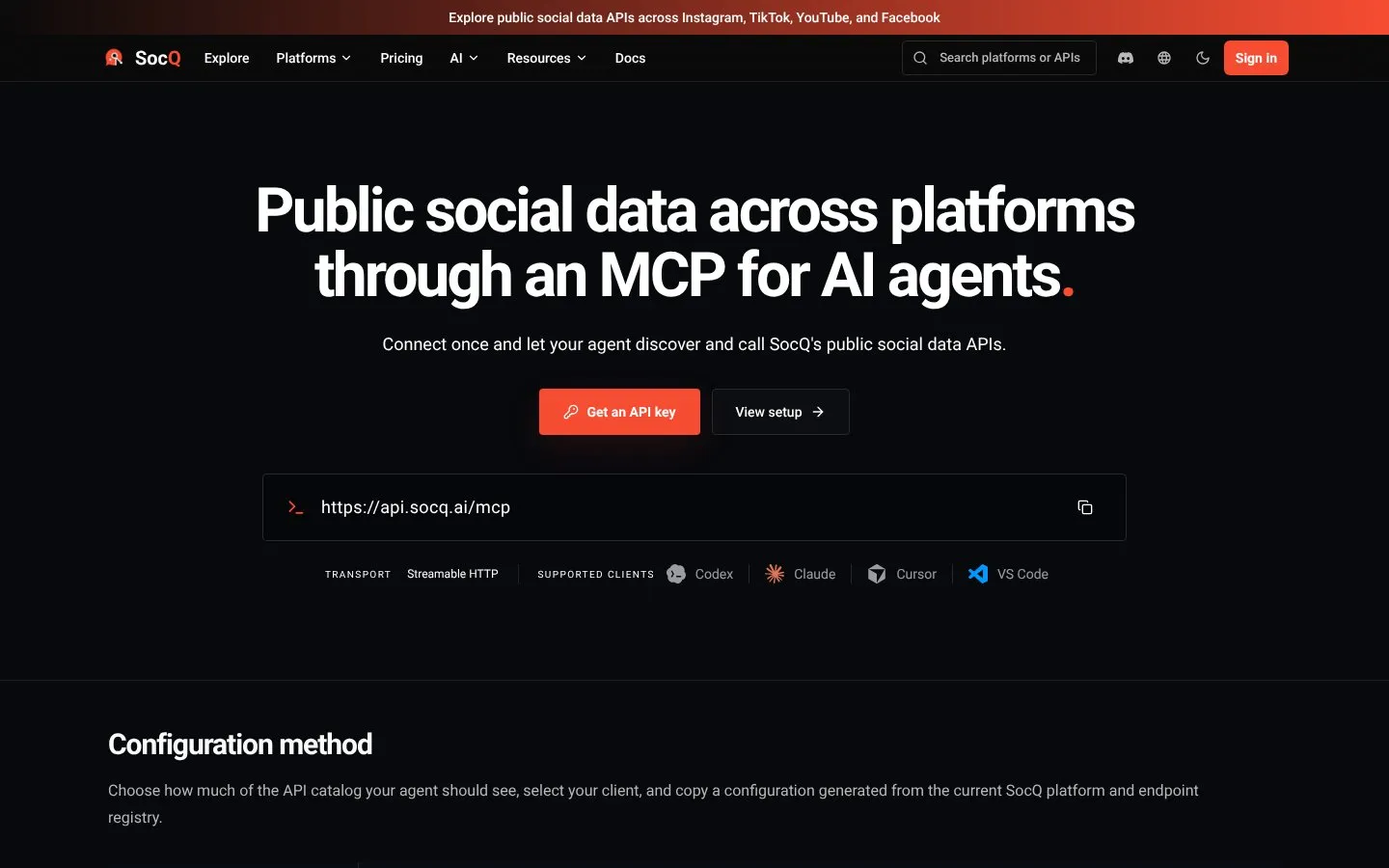
Quick answer: Connect to the hosted Streamable HTTP endpoint
https://api.socq.ai/mcp. Discovery works without a key. Collection needs a SocQ API key. Compact mode walkssocq_search_endpoints→socq_describe_endpoint→socq_execute, then continues the returned task. Do not treat that execute call as a synchronous dump of every row.
Official Platform APIs or a Public MCP?
Official Instagram, X, YouTube, and similar products remain the right door when a user authorizes publishing, messaging, ads, or private insights. MCP does not add those permissions.
SocQ MCP is a public-data door. An agent can only call capabilities that already exist in the API catalog. It cannot publish, cannot read private accounts, and cannot invent an endpoint that is not in the registry. REST, MCP, and the CLI execute the same jobs. The Agent Skill helps an agent pick endpoints and estimate credits; it is not a second data service. If the product already speaks HTTP, keep REST. If the operator lives in a terminal or CI job, use CLI. If the operator is an IDE agent, use MCP.
Choose a Tool Scope, Not a Guessed Endpoint
An MCP client only sees the tools exposed by the current connection. Pick the scope on /mcp, then copy the matching address.
| Scope | Address | Visible surface | Best for |
|---|---|---|---|
| Compact | /mcp | Discovery, execute, task, file, and account tools | Exploration that may move across platforms |
| Platforms | /mcp?platforms=youtube,tiktok | Typed collection tools for up to five platforms, plus task, file, and account tools | Agents that stay on a known set of platforms |
| Exact tools | /mcp?tools=youtube_comments,x_search | Up to thirty typed tools, plus task, file, and account tools | Stable workflows with a controlled tool list |
platforms and tools are mutually exclusive. After you change a filter, reconnect the client so it refreshes tools/list. A compact connection that never reconnects will keep serving the previous tool list.
You still choose a concrete catalog capability inside that scope. Compact mode searches the registry. Platform and exact modes call a typed tool whose input schema matches the REST body for that resource.
A useful default:
- Start compact when the question may jump from YouTube comments to X search to a Shop query.
- Switch to platforms when the agent only ever works on two or three networks.
- Switch to exact tools when a production eval must see a frozen tool list.
Do not keep a five-platform connection and then ask the model to “also try Amazon.” Reconnect with Amazon in the filter, or go back to compact.
Connect a Client and Keep the Key out of Git
Do the setup in three steps, at the same level as the MCP page:
- Choose compact, platforms, or exact tools.
- Choose Codex, Claude, Cursor, or VS Code.
- Copy the generated configuration and reconnect.
Client files and transports:
| Client | Config file | How it connects |
|---|---|---|
| Codex | ~/.codex/config.toml | Remote HTTP to the hosted Streamable HTTP URL |
| Claude | claude_desktop_config.json | @socq/mcp stdio bridge, Node.js 20+ |
| Cursor | .cursor/mcp.json | @socq/mcp stdio bridge |
| VS Code | mcp.json | stdio bridge, with the key as a prompt input |
Discovery of platforms, endpoints, and schemas does not require a key. Collection, account, task results, and files do. Store SOCQ_API_KEY in the environment or the client's protected prompt input. Do not commit the key.
A generic Streamable HTTP sketch looks like this. Prefer the file the MCP page emits for your client; do not add undocumented fields.
{
  "mcpServers": {
    "socq": {
      "url": "https://api.socq.ai/mcp",
      "headers": {
        "Authorization": "Bearer ${SOCQ_API_KEY}"
      }
    }
  }
}
Codex talks to that hosted URL directly. Claude, Cursor, and VS Code typically reach it through the published @socq/mcp bridge. After saving, restart or reconnect the SocQ server in the client.
REST and MCP Share One Capability
Each collection has a REST path, an endpoint ID, and a typed tool name. Compact mode places business fields inside input. Typed tools expose that schema directly.
POST /v1/tiktok/profiles
  = endpoint id tiktok-profiles
  = typed tool tiktok_profiles
Billing, limits, and the task envelope do not change when you switch doors. Discovery tools do not create collection jobs. If REST would reject a username list, MCP will reject it too.
Submit a Collection, Then Poll the Same Task
Compact mode is a three-tool hop plus task continuation:
natural-language request
  → socq_search_endpoints
  → socq_describe_endpoint
  → socq_execute(endpoint, input)
  → task_id
  → socq_get_task
  → results.items
socq_execute validates the business input and creates an asynchronous collection. It can wait briefly, then hand back the current status. If the task is still queued or running, continue with the same task_id. A client timeout does not cancel collection.
When the task succeeds, read results.items. While has_more is true, pass next_cursor unchanged. Do not submit the same Instagram profile or TikTok username again just because the first page was short.
Platform and exact modes skip search when the typed tool is already in context. The task contract does not change: create once, persist the ID, poll, paginate.
Example compact intent, not a chat screenshot:
Collect the public TikTok profile for @tiktok.
Describe the tiktok/profiles input first.
Execute, wait for the task, then return username, name, visible metrics, and collected_at.
The agent should come back with a task ID and normalized items, not a claim that “the profile arrived in one synchronous tool result.”
Persist the same operational row you would persist for REST:
- Chosen endpoint ID or typed tool name.
- Canonical business input.
- Task ID.
- First status observed and terminal status.
- Last
next_cursoryou consumed.
If the agent process dies, resume that task. Do not let a retry loop open five identical TikTok profile jobs.
Input Hygiene Still Belongs to You
MCP does not relax REST validation.
- Compact
inputmust match the endpoint schema returned bysocq_describe_endpoint. - Typed tools expose the same required fields as
POST /v1/{platform}/{resource}. - Strip
@or keep it consistently. Convert profile URLs to usernames in the prompt or in a pre-step. - Do not send a video URL to a username field, or a username to a status-URL field.
- Keep
results_limitas a cap. The catalog does not promise completeness. - If the scope omitted the platform, reconnect with a platforms or tools filter that includes it. Do not ask the model to “just call TikTok anyway.”
Write the chosen endpoint ID, inputs, and task ID into your own log. Agents forget; your job table should not.
Read Normalized Fields, Not Chat Prose
Successful items use the same envelope as REST: id, platform, resource, type, url, author, metrics, created_at, collected_at, and extra when present.
Ask the agent to preserve nulls. A hidden follower count is not zero. A missing transcript is not “no speech.” Media URLs are source references.
If you need files, retrieve them with the file tool for that task. If you need another page, keep the cursor. If you need a different resource, describe and execute that resource; do not reshape the first payload into a fake second schema.
Minimum checks before you trust a row the agent summarized:
platformandresourcematch the tool that was executed.- At least one of
idorurlexists. - Metrics are numbers or null, never coerced zeros.
collected_atis present and is not copied intocreated_at.- The prose answer can be traced back to
results.items, not to model memory.
Ask the agent to quote fields, not to “clean up” missing values.
Refresh Cadence for Agents
MCP connections and collection jobs have different clocks.
| Object | Sensible habit | Reason |
|---|---|---|
| Tool scope | Reconnect after every filter change | Clients cache tools/list |
| Discovery | Repeat socq_search_endpoints when the question changes | The catalog is live; the previous hit may be the wrong resource |
| Collection task | Poll the same ID | Resubmitting duplicates work |
| Profile-like entities | Weekly or monthly | Identity fields move slowly |
| Posts, comments, ads, products | Hourly to daily while active | Public metrics and listings move faster |
| Exact-tool production servers | Change tools only on a planned release | Surprise tool lists break evals |
Do not refresh a finished task to “make it synchronous.” Start a new task only when the inputs or the time window actually changed.
Common Failure Modes
The agent says the platform is missing
The current connection may be compact-unaware, limited to other platforms, or still holding an old tools/list. Open /mcp, set the scope, copy config, reconnect.
Collection is rejected without a useful profile
Discovery does not need a key. Execution does. Check SOCQ_API_KEY in the environment or the VS Code prompt input.
The first tool call “finished” with no rows
The job is asynchronous. Read the task status. Continue socq_get_task before assuming failure or resubmitting.
The agent invents a publish or private-data tool
That capability is not in the catalog. Stop. Use an official OAuth product for writes and private insights.
Pagination stopped early
has_more and next_cursor are part of the result, not optional decoration. Drain the cursor or record that you stopped on purpose.
Filter change did nothing
platforms and tools cannot be combined. Reconnect after switching.
Responsible Use
Collect only public data needed for a legitimate purpose. Do not ask an agent to bypass private accounts, logins, or access controls. Keep keys out of prompts you will paste into tickets. Review platform terms and your own retention rules.
Do not ask the agent to:
- Publish, reply, or send a DM.
- Open a private or logged-in view.
- Treat
socq_executeas a finished dataset. - Combine
platformsandtoolson one URL. - Hard-code a live API key into a committed config file.
SocQ MCP is a technical connection. It does not grant extra rights to content, and it does not turn an unofficial scrape into an official integration.
Keep the same data-minimization rule you would use in a REST worker: collect the public fields the ticket needs, then stop. An agent with compact access to the full catalog will happily keep discovering endpoints you did not ask for. Constrained scopes exist for that reason.
FAQ
Is SocQ MCP a second social API?
No. It is another door into the same catalog used by REST and the CLI.
Can I use it without an API key?
You can discover platforms, endpoints, and schemas. Collection, account, task results, and files need a key.
Why doesn't compact mode list every API as its own tool?
Compact mode searches and describes an endpoint when needed, which keeps the full schema set out of the model context.
Does execute return every row immediately?
No. It returns a task. Continue that task and page through results.items.
Can the agent post to X or read a private Instagram account?
No. It can only call public catalog capabilities.
When should I add the Skill?
When the agent must choose endpoints and estimate credits across a multi-step job. MCP still executes. Details are on /skill.
Where do I copy the real client config?
From /mcp: pick scope, pick client, copy, reconnect.
MULTI-PLATFORM API
Test the workflow with a public Multi-platform URL
Submit public inputs and receive normalized records with traceable source context.
Explore Multi-platform APIs